
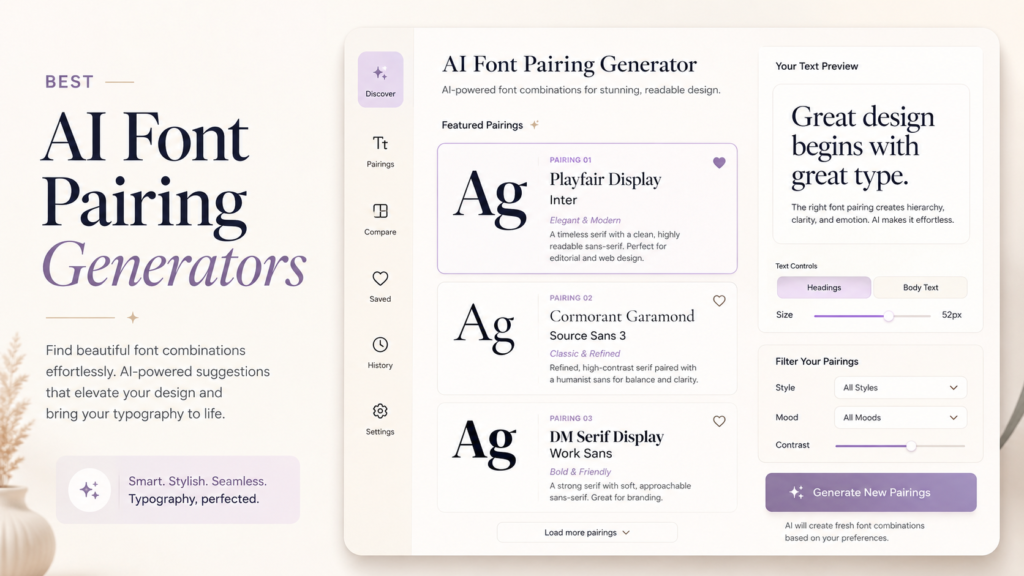
AI Font Pairing Generators: Ultimate Guide & Best Tools
AI Font Pairing Generators Tool: The Ultimate Proven Guide for Designers Finding the perfect font pairing used to be a tedious, eye-straining ritual of endless scrolling through A...
AI Font Pairing Generators Tool: The Ultimate Proven Guide for Designers
Finding the perfect font pairing used to be a tedious, eye-straining ritual of endless scrolling through Adobe or Google Fonts. Today, machine learning has changed the game. AI-powered font generators do the structural and mathematical heavy lifting in seconds, letting you skip the guesswork and focus on actual design layouts.
These intelligent systems analyze letterforms, x-heights, and stroke contrasts in mere milliseconds. They effectively eliminate the guesswork from typography, allowing you to design with unshakeable confidence. As a result, designers can focus significantly more on the overarching creative vision rather than agonizing over minor typeface adjustments.
I remember staring at glowing screens until my eyes blurred, trying desperately to match a quirky serif with a neutral, geometric sans-serif. It was an exhausting, subjective process that often led to decision fatigue. Now, artificial intelligence does the heavy lifting with surgical, mathematical precision.
The Modern Case for AI-Driven Typography Assistants
Typography is not just about making words legible; it is about conveying emotion and establishing brand authority. A mismatch in your font choices can subconsciously repel your target audience. Conversely, harmonious typography builds immediate trust and enhances user experience.
[Internal Link Suggestion: The Psychology of Typography in Modern Web Design]
Using an AI-driven typographic assistant ensures your font combinations automatically respect fundamental layout rules, without requiring you to manually measure x-heights or stroke widths. These algorithms are trained on thousands of successful, professional designs. They understand the delicate balance between concord, contrast, and conflict.
The Science Behind Machine Learning Fonts
When you use an AI generator, you are not just getting a random shuffle of popular fonts. The neural networks analyze the vector structures of the typefaces themselves. They map out the weight, width, and optical axes of every single letter.
By comparing these deep structural data points, the AI can predict which fonts will complement each other. It actively searches for pairs that share underlying geometric similarities while providing enough visual contrast to differentiate headers from body text. This scientific approach guarantees a visually pleasing hierarchy.
Overcoming Design Paralysis
One of the biggest hurdles in graphic design is the paradox of choice. With tens of thousands of fonts available online, selecting just two can feel incredibly overwhelming. This often leads to designers defaulting to the same safe, overused combinations.
An AI tool acts as a brilliant brainstorming partner that never gets tired. It pushes you out of your comfort zone by suggesting unexpected, yet highly effective pairings. You retain full creative control, but you start from a foundation of curated excellence.
Top Features to Look For in an AI Typography Assistant
Not all AI design tools are created equal, and the market is becoming increasingly saturated. To find the truly elite platforms, you need to know exactly what technical features matter. Here is what the absolute best tools bring to the table:
- Deep Learning Algorithms: The tool should use advanced neural networks, not just pre-programmed static lists.
- Adjustable Contrast Sliders: You need the ability to dictate how similar or radically different the paired fonts should be.
- Real-Time Preview: Seeing the fonts applied to actual layouts or sample text is crucial for evaluating their real-world impact.
- Export Capabilities: The best platforms allow you to easily copy CSS codes or download the font files directly.
- Dark Mode Testing: Typography behaves differently on dark backgrounds, so built-in contrast testing is a major plus.
W3C Web Content Accessibility Guidelines (WCAG) for Text Contrast
The Industry Leaders: Top AI Font Pairing Tools to Elevate Your Workflow
If you are ready to transition from theory to practice, several standout tools deserve a permanent spot in your design toolkit. These platforms leverage advanced machine learning to take the friction out of typographic selection, ranging from lightweight open-source generators to enterprise-grade powerhouse suites.
1. Monotype Fonts: The AI-Powered Industry Standard
When the world’s most prestigious type foundry integrates machine learning, the design world takes notice. Monotype Fonts has evolved far beyond a simple directory; it now features a highly sophisticated, AI-driven search and pairing engine designed for professional agencies and brand architects.
Instead of searching by arbitrary tags, Monotype’s system analyzes the subtle, structural DNA of over 150,000 typefaces. You can upload an image or input a brand descriptor, and the AI will scan its massive library to suggest pairings that maintain perfect contrast and optical harmony. It behaves less like a rigid filter and more like an experienced typographic consultant who has memorized every serif, terminal, and ascender in existence.
- Best For: Enterprise branding, professional agencies, and designers seeking access to licensed, high-end commercial typefaces.
- Why It Stands Out: Its AI doesn’t just look at popularity metrics; it evaluates the historical and geometric relationships of fonts to ensure pristine legibility across both print and digital mediums.
2. Fontjoy: Simplistic, Deep-Learning Elegance
For quick brainstorming sessions and rapid prototyping, Fontjoy remains a beloved favorite among minimalist designers. Powered by deep learning, it simplifies the pairing process down to a single slider.
You can adjust the slider to prioritize either extreme contrast or close similarity. With a simple click of the “Generate” button, the neural network pulls from Google’s extensive library, instantly rendering a header, subheader, and body text combination. If you fall in love with a specific header, you can “lock” it in place and let the AI continuously cycle through complementary body fonts until you find the perfect match.
- Best For: Quick web projects, rapid prototyping, and designers who prefer a clean, zero-learning-curve interface.
- Why It Stands Out: The highly intuitive “contrast vs. similarity” slider gives you instant, visual control over the neural network’s creative boundaries.
3. Huemint: Holistic Brand Visualization
While not strictly a typography-only tool, Huemint uses AI to generate cohesive brand palettes alongside highly accurate font pairings. The beauty of this tool lies in its contextual rendering.
Instead of showing you fonts in isolation on a blank white screen, Huemint injects its AI suggestions directly into mockup website layouts, illustration graphics, and packaging designs. This allows you to see how the font pairs behave in a realistic, multi-dimensional environment before you commit to a single line of CSS.
- Best For: Digital product designers and brand identity creators who want to see their color theory and typography work in perfect, simulated harmony.
- Why It Stands Out: It bridges the gap between abstract font selection and real-world application, saving you hours of manual mockup creation.
To truly master your design workflow, you must understand the specific strengths of the top contenders. Let us break down how the leading AI generators approach the complex art of typography.
Fontjoy: The Classic ML Approach
Fontjoy remains a staple in the design community for its minimalist interface and powerful backend. It utilizes deep learning to map fonts into a high-dimensional space. The closer two fonts are in this 3D map, the more similar their structural DNA is.
Users can lock in a font they love and use the AI to generate the perfect complementary match. It is fast, highly intuitive, and exceptionally reliable for rapid prototyping. If you need a solid baseline quickly, this is a fantastic starting point.
Khroma: AI Color and Typography Synergy
While Khroma is primarily known as an AI color generator, its typographic integrations are highly underrated. It learns your personal aesthetic preferences through an initial selection process. From there, it generates infinite combinations of typography and color palettes.
This holistic approach is incredibly valuable for brand identity projects. You get to see how these dynamic color combinations interact with varying typographic styles and saturations. It proves that typography cannot be judged in a stark, black-and-white vacuum.
Best Practices for Using AI Font Suggestions
Even with the most advanced artificial intelligence at your fingertips, human intuition is still required. AI provides the raw ingredients, but you are the master chef who must plate the final dish. Here is how to maximize the output of these generators.
Contrast is King
The most successful font pairings rely on clear, intentional contrast. If you pair two fonts that are too similar, it looks like a glaring mistake rather than a stylistic choice. Always ensure there is a distinct difference in weight, classification, or structure.
For example, pairing a bold, dramatic serif heading with a clean, light sans-serif body text rarely fails. The AI will often suggest these high-contrast pairings naturally. It is your job to ensure this contrast aligns with your brand’s specific tone of voice.
Context and Brand Identity
An AI might suggest a beautifully harmonious pairing of two highly decorative display fonts. While technically mathematically sound, this combination would be disastrous for a corporate law firm’s website. Context is the one thing artificial intelligence still struggles to fully grasp.
Always filter the AI’s suggestions through the lens of your specific project brief. Ask yourself if the fonts convey the right emotion, era, and level of professionalism. The Best AI Font Pairing Generators Tool is an assistant, not the final art director.
Image Optimization & Accessibility in Typography
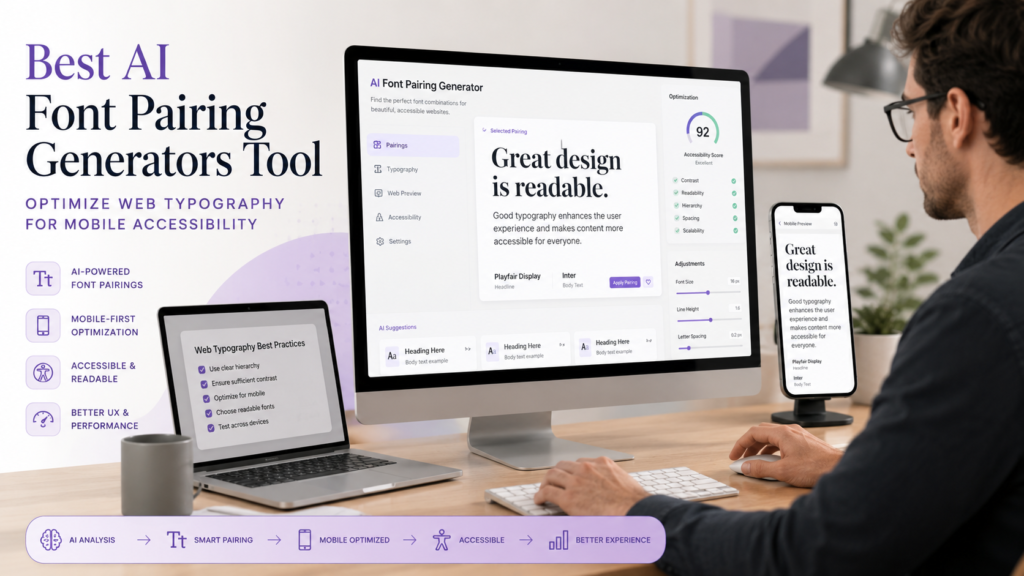
When applying your newly discovered font pairs to web design, accessibility must remain a top priority. Beautiful typography is utterly useless if visually impaired users cannot read it. Always ensure your font sizes are responsive and your contrast ratios meet strict WCAG standards.
Don’t forget about images. If you’re flattening elegant typefaces into static files like JPEGs, search engines can’t read them. A smart alt-text strategy ensures your typography still contributes to SEO. Search engines cannot read text flattened into a JPEG or PNG file.
The Future of AI in Typographic Design
We are only scratching the surface of what machine learning can achieve in the design space. In the near future, we will likely see AI tools that dynamically generate entirely new, custom fonts based on a prompt. The concept of “pairing” might evolve into “blending” typefaces on the fly.
For now, mastering the current generation of tools gives you a massive competitive advantage. You can produce high-quality, professional layouts in a fraction of the traditional time. Embracing these technologies is the hallmark of a forward-thinking, adaptable designer.
Great typography still requires a human eye. While AI can calculate perfect geometric contrasts, it cannot feel your brand’s soul. Use these tools as an efficient starting point to narrow down thousands of options, then let your creative intuition make the final stylistic call. These algorithms provide a mathematically sound foundation for your artistic expression.
Remember that AI is here to enhance your creativity, not replace your unique human perspective. Use the generated suggestions as a springboard for your own brilliant ideas. Let the machine handle the tedious calculations while you focus on crafting compelling visual narratives.
Elevate Your Designs with Premium Typography
While artificial intelligence is fantastic at suggesting brilliant combinations, the sheer quality of the raw materials matters immensely. An AI can suggest a geometric sans-serif, but if the actual font file is poorly kerned or lacks essential glyphs, your final design will undoubtedly suffer.
That is exactly why having a robust, high-quality library of typefaces is completely non-negotiable for serious creatives. You need fonts that are meticulously crafted with precision, unique character, and broad versatility.
If you are actively looking to upgrade your digital collection without compromising on quality, I highly recommend exploring top-tier typographic resources. You can instantly download incredibly crafted Free & Premium Fonts that will perfectly complement any AI-generated pairing.
These elite collections offer the ultimate blend of striking aesthetic appeal and rigorous technical perfection. Pair these premium typefaces with your favorite AI generator, and watch your design projects elevate to an entirely new level of professionalism.
Frequently Asked Questions (FAQ)
1. Can an AI font generator replace a human graphic designer? No. AI tools are powerful assistants that speed up the workflow, but they lack human empathy, contextual understanding, and strategic brand vision. They handle the technical matching, but humans dictate the creative direction.
2. Are the fonts suggested by AI tools free to use commercially? It depends on the specific tool and the font library it pulls from. Always verify the individual licensing agreements (such as SIL Open Font License) before using any suggested font in a commercial project.
3. How does the AI determine if two fonts look good together? It uses neural networks to analyze the vector data of the fonts, comparing elements like x-height, stroke width, and geometric structure. It looks for harmonious similarities and pleasing contrasts based on its vast training data.
Related articles

Why AI Aesthetics Are Boring Audiences: The Proven Secret to Anti-AI Design
Let's be brutally honest for a moment. Have you scrolled through your social media feed lately and felt… absolutely nothing? Yo...